A house, a boat, a second-hand car, tonight’s recipe — one click and the price, the photo and the details come with it. Everything you save ends up side by side on one page.
The Chrome extension comes with your tester invite — the Chrome Web Store version is on the way. On Android you save straight from the share menu.
Everyone saves something different. Pick the one that sounds like you.
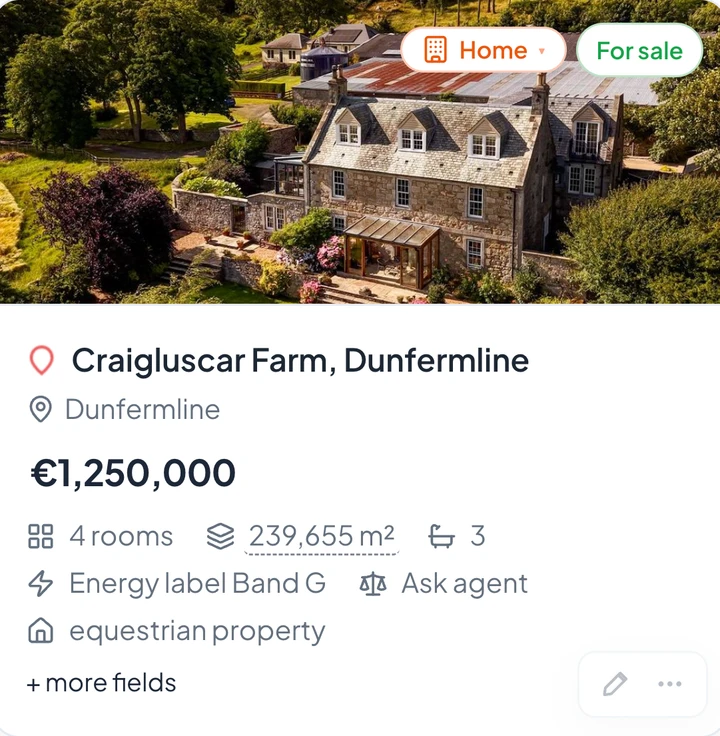
Living area, energy label, year built and plot size side by side — even when they came from four different sites.
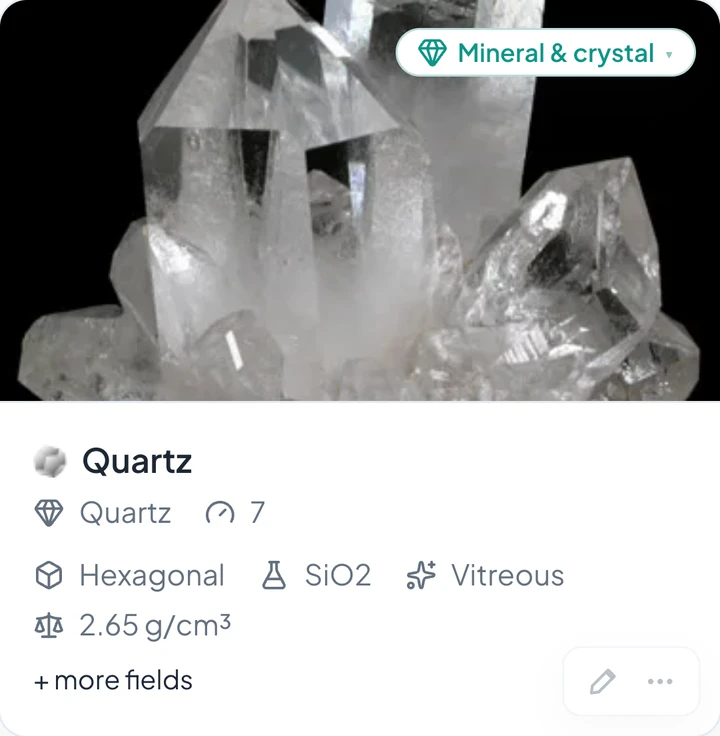
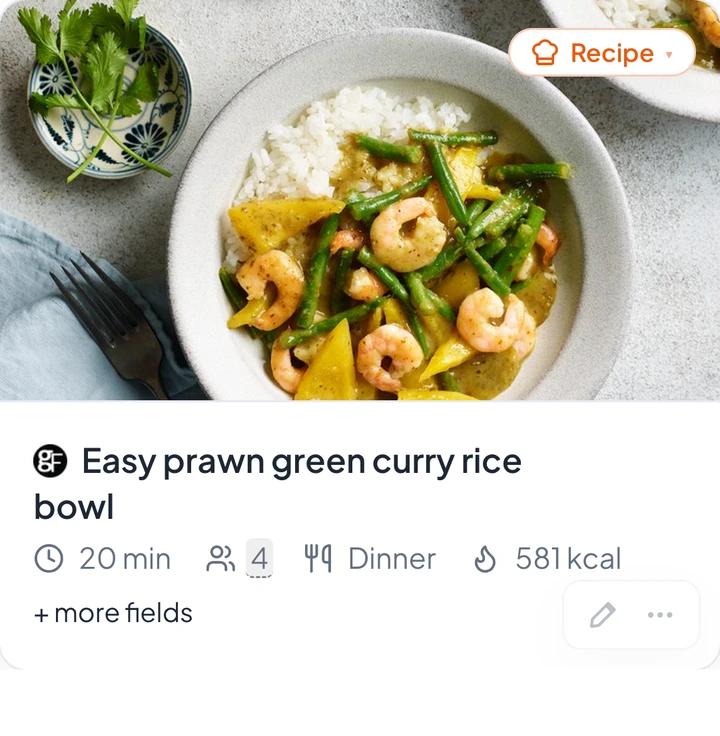
Every detail here came off the page by itself.

That is 3 of 90 kinds. Linkcroft also knows movies and books, board games and video games, LEGO sets and comics, sneakers, watches and perfume, wine, whisky, coffee and cheese, houseplants, aquarium fish and supplements, fountain pens, stamps and model trains, climbing routes, ski resorts and roller coasters, jobs, courses and restaurants — each with the details that matter for that one thing. Not seeing yours? Tell us →
Install the Linkcroft extension and a button appears in your browser; press it on any page you want to keep, and the details come with it — the asking price of a house, the mileage of a car, the cooking time of a recipe. It lands in your inbox with a spot already suggested, and one click puts it on your start page.
Everything you save lands in your inbox. By the time you open it, Linkcroft has worked out which page and which widget it belongs on, and how sure it is. Agree? One click. Don't agree? Pick another widget, or leave it where it is.
A house from a listing site, a boat from a broker, a recipe from a food blog — next to each other on the same page, each with the details that belong to it.
And it works the other way round too. Collect cars from ten different sites — dealers, marketplaces, classifieds — and every one of them arrives with its year, mileage and price in the same place. That is what makes comparing possible.
Linkcroft reads what a site already publishes about itself and sorts it into the fields that belong to that kind of thing.
Got the kind wrong? Change it yourself and the right fields appear.
The first time anyone saves from a site, Linkcroft works out where that site keeps its price, its floor area, its year — and that reading holds for everyone, not just for the person who saved it. So the sites people actually use keep getting better, the things you saved earlier are brought up to date along with them, and a new kind of thing grows up on its own as more people save it.
Big photo tiles, compact rows, a description under every title, or the full details. You pick it per widget, so the things you want to look at get room and the rest stays a tidy list.
Drag a widget wider or narrower, move it to another column, or park it on a page of its own. This is one start page: a boat and a house, recipes to try, the parts for a refit, books, films and the paint for the bedroom — side by side, because that is how you were thinking about them.
The parts for a boat refit, the shortlist of houses, the gear for a project — the total sits under the widget and grows as you save.
The same links as a plain table: title, web address, widget, note, tags and the date you added it. Sort by title, widget or date, tick the ones you mean, and handle them together.
Search everything you ever saved — by title, web address, your own note, even the text of the page itself. One search box for every page and every widget, not one per list.
A list that has been growing for a year has listings that no longer exist and things you saved twice without noticing.
Listings disappear. One click and Linkcroft walks through your links and marks the ones that no longer work.
2 broken linksSaved the same thing twice, months apart? Linkcroft spots it and lets you clear them out together.
3 duplicate linksIt helps when you ask. Never on its own, and never over something you typed yourself.
It looks at your whole collection and comes back with a handful of themes. You pick which ones stick.
No “(2)” notification counter in front, no “ - YouTube” tail behind. Just the title of the thing.
Some pages say nothing about themselves. Ask, and you get a short summary of what is actually on the page.
Correct a price, fix the year, write the note only you would write. From that moment nothing overwrites it — not a rescan, not a better reading of the page.
A tool that sits in your browser has to earn its place. This is exactly what Linkcroft may and may not do.
Linkcroft is in private beta. Leave your email and we’ll get in touch when there is room for the next group of testers.
No spam, and nothing shared with anyone else.
Now in private beta — be one of the first testers.
Become a tester